Tuesday, July 13, 2010

1.2.2 almost ready

Hey everyone.

I spent a good chunk of time last night on looking at the possible bug in Folder.  Good news.  It seems that the bug I was seeing has to do with iOS 4.0 and above only, and I was seeing it because of the ad supported version that I am making.  The regular version of Folder does not appear to have this problem, which is why I hadn't seen this previously.

Still, I did fix a few good things last night and after a paranoid round of testing I should be submitting the new version this evening.  Changes include:


- Fixed a problem with email attachments crashing the app when sending unknown file types.
- Fixed a problem with the cancel button being only partially selectable.
- Added additional supported filetypes to open files with.
- Fixed a possible problem with multi-tasking and accepting files on iOS 4.
- Fixed a problem with the empty folder image not centered in some cases.
- Fixed a problem with the empty folder image not showing in the proper orientation if the device is flat.
- Fixed some incorrect text in a dialog.

This was more problems than I had been aware of.  If you see a problem with Folder let me know, I would be happy to address it.

I am considering dropbox support in an update as well as possibly moving the icons around.  I am still thinking about wifi support, but no promises there yet.

Thanks for using Folder!

Sunday, July 11, 2010

Folder Lite

I wanted to give you guys a heads up of a bug that I have just found in the latest version of Folder (1.2.1) regarding iOS 4 only.  Sometimes when you have had Folder opened already and it is running in the background, sending a file to Folder does nothing.  I can sometimes make this happen but sometimes it works.  I will track this down and get things cleared up for release as soon as I can.  As a workaround, you can go into the background manager on the iPhone by double-taping the home button.  Once you see Folder, tap and hold on it's icon.  A minus will appear and you can stop it from running.  Once you do this you will not have this problem of files not showing up after being sent like they should.  I am disappointed that this made it through my testing process, I want to get this fixed as soon as I can.  I will let you know here when I get a new version submitted.

I have also been working on getting a lite version of Folder up on the app store that is ad supported.  I know this isn't exciting for existing users, but if you have been waiting to try out Folder then you can for free once the lite version is released.

Thanks to all Folder users, I hope that you find it useful like I do.

Tuesday, June 22, 2010

1.2.1 is live

1.2.1 is the same as 1.2 except it has support for the iPhone and iPod touch when running iOS 4.0.  I hope this is useful to you all.

A quick reminder or introduction to those who may have some questions on how to start out, you can look here or send me an email (folderapp@gmail.com) for additional help.

Thanks for using folder!

Edit:  It's now a few days later and while my developer account with Apple agrees with the email I got, that 1.2.1 is live and has been for days, I have yet to be able to get 1.2.1 from iTunes.  I'm working with apple to get this resolved, I will let you know when it has been taken care of.

Wednesday, June 16, 2010

1.2 live

Version 1.2 is now live on the app store.

The annoying rotation "empty folder" problem is fixed and emailing is alive and well.

One oddity is that for some reason it is only showing up as an iPad app and not allowing itself to be installed on an iPhone or an iPod touch.  I know this works as I tested it on both, so I'll be investigating this and hopefully get this completed by the time that 4.0 is available to the general public next week.  My apologies if this causes anyone any inconvenience.

In the meantime, enjoy the update.  As always, feedback (both good and bad) is appreciated!

Friday, June 11, 2010

1.2 submitted to apple.

I have submitted the new update to apple.  I was only going to work on it a little this evening but I got carried away.  =)

Here is the changes list:

- Added iPhone/iPod touch support (with iOS 4.0).
- Added emailing files option.  (This isn't available on the iPod touch)
- Fixed a problem with the empty folder message unexpectedly showing on rotation.
- Updated the button naming and text status.
- Updated the app's icon.

I was more paranoid about testing this go around because of the rotation problem from last time.  I am still surprised that nobody ever mentioned this problem, it was a bad oversight.  My apologies if it caused anyone frustration.

I have moved the buttons around some and made the text a bit more explanatory.  Here are some pictures of the app on the iPhone.


As always, comments, concerns and suggestions are welcome.  Thanks for using folder!

Wednesday, June 9, 2010

iOS 4 and the next update

I wanted to say a couple of things regarding folder's next version.

First, I plan on getting email integration taken care of and implemented.  If all goes well then this will be added in the next release.

With the changes in iOS 4 it will now be possible to make Folder for the iPhone/iPod touch.  I will be doing this in the next update as a universal app.  This will allow existing folder users to also use Folder on their iPod touch or iPhone and new users to get it for all platforms as well.

Additionally the icon has changed slightly since 1.1 and will be updated with the next release.  Thanks to osxmagazine.com for the icon help!

Suggestions and criticism are welcome.  Thanks for using Folder!

Thursday, May 20, 2010

Update submitted

I have submitted a folder update to Apple which should address some concerns as well as make folder more desireable to use.

First, folder now makes it obvious that it is empty.  You will see a notification in the title bar as well as a blue image that tells you folder is empty.

Second, there is now an edit button in the top left corner which will turn on delete mode.  There is much confusion on deleting files right now and I would like to stress again that you CAN currently delete files from folder by swiping your finger across their names to bring up a delete button.

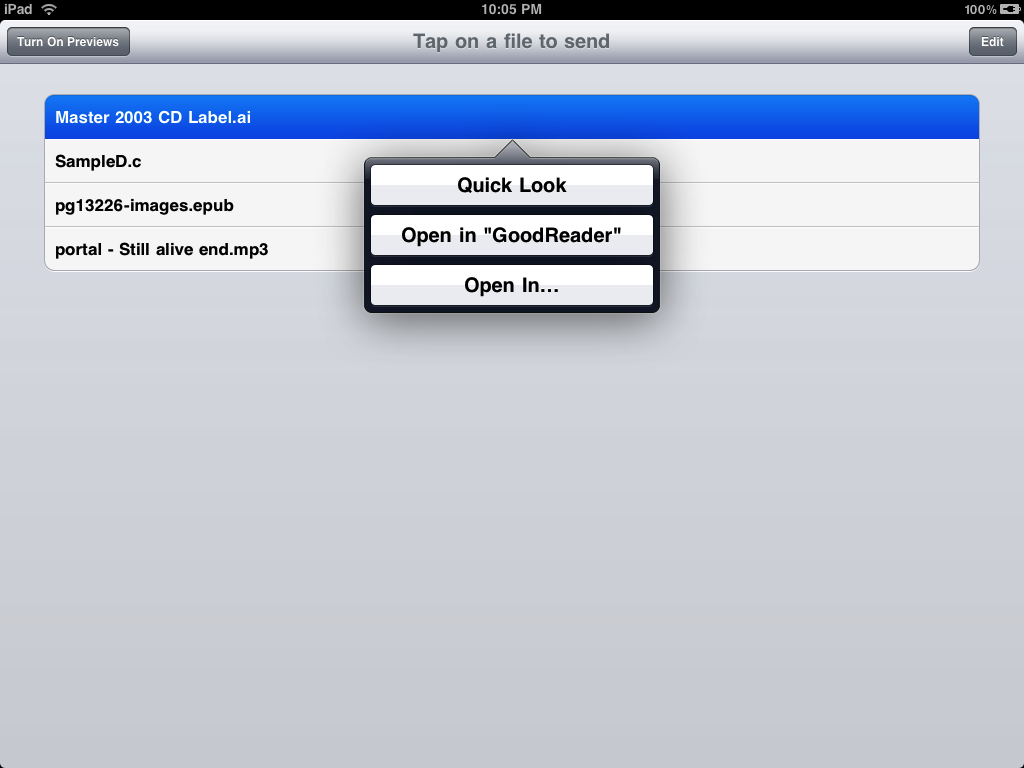
Third, a notification should always come up for any given type of file.  For some files apple will not put up a "send" dialog even when they should, so I've added an alert that notifies you that folder cannot do anything with the file.  Additionally some files have the option to "Quick Look" like Mail has.

Finally, I have added a preview mode for both documents and media files.  This works similarly to mail with the exception that you have to turn on "preview" mode first.  For example, I was able to preview xls, rtf, pdf, doc, mp3, wav and many other files through this viewer.

I have omitted the email option for now as we have had virtually no feedback on anyone interested.

Enjoy your folder and please drop me an email or post here with any suggestions!